
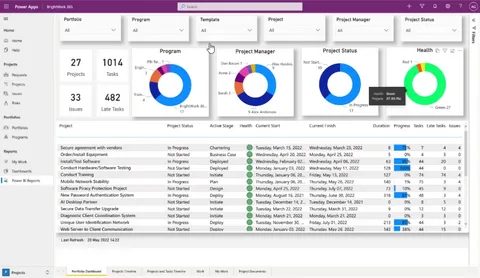
Planning a project involves much more than creating a list of tasks and choosing a deadline. Teams must coordinate people, manage resources, track progress, and prepare for unexpected changes. When this information is scattered across emails, spreadsheets, and separate documents, even a straightforward project can become difficult to manage. Digital tools help bring these details together, making planning more organized and easier to maintain.
For example, tools such as trello software can help teams arrange tasks on visual boards, assign responsibilities, and monitor progress as work develops. These solutions are useful because they give everyone a shared view of the project instead of relying on scattered updates. However, technology works best when it supports a clear plan, realistic expectations, and effective communication among team members.
Establish Clear Project Goals
Every successful project begins with a clear objective. Before selecting tools or assigning tasks, teams should define what they want to achieve and how they will measure success. Without a shared goal, employees may focus on different priorities or spend time completing activities that do not contribute to the final outcome.
Digital planning tools allow managers to document objectives, expected results, deadlines, and important milestones in one place. Team members can refer to this information whenever they need clarification.
It is also helpful to divide a large objective into smaller stages. For instance, a website development project might include research, design, content creation, testing, and launch. Breaking the work into manageable parts makes progress easier to measure and helps teams identify potential delays early.
Organize Tasks in One Central Workspace
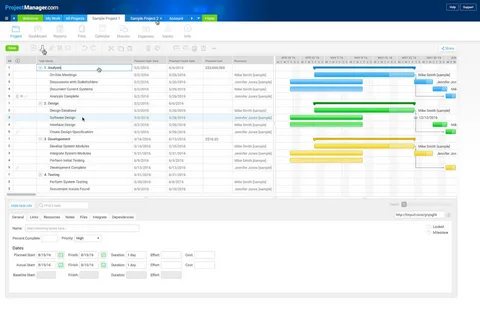
One common project planning challenge is keeping information organized. Task details may be stored in email threads, meeting notes, spreadsheets, or personal reminders, making it difficult to find the latest information.
A central digital workspace reduces this confusion by keeping important project details together. Depending on the tool, teams may be able to store task descriptions, deadlines, files, comments, and assignments in a shared location.
This approach offers several advantages:
- Employees can find task information more quickly.
- Managers can review progress without requesting constant updates.
- Team members can access current instructions and documents.
- Important responsibilities are less likely to be overlooked.
- Changes can be communicated more consistently.
Teams should establish simple rules for naming tasks, updating statuses, and storing files. Consistent practices help prevent the shared workspace from becoming disorganized as the project grows.
Build Realistic Timelines
A project schedule helps everyone understand what needs to happen and when. However, unrealistic deadlines can create pressure, reduce work quality, and make even well-organized projects difficult to complete.
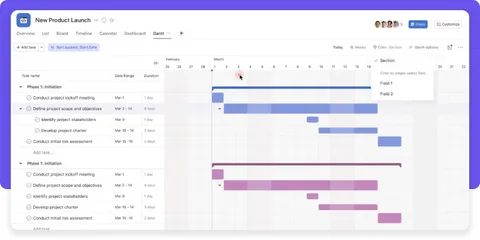
Digital planning tools can display deadlines, milestones, calendars, and dependencies. These features help managers understand which tasks must be completed before others can begin. For example, a marketing campaign may depend on approved designs and finalized product information.
When creating a timeline, consult the employees responsible for completing the work. Their experience can help estimate how long tasks will take and identify possible obstacles.
It is also wise to allow some flexibility for unexpected issues. Regularly reviewing the schedule helps teams adjust priorities before minor delays affect the entire project.
Improve Team Collaboration
Project planning becomes more effective when everyone understands their responsibilities and has access to relevant information. Digital collaboration tools make it easier to share updates, ask questions, and coordinate work across departments.
Task assignments can clarify who is responsible for each activity, while comments and shared documents help preserve useful context. This is particularly valuable for remote and hybrid teams, where colleagues may not be available at the same time.
Still, digital communication should not replace every conversation. Complex decisions, sensitive issues, and problems requiring discussion may be better handled in a meeting or direct conversation. The goal is to use technology to reduce unnecessary back-and-forth, not to create more messages and notifications.
Monitor Progress and Identify Problems Early
A project plan should evolve as work progresses. Monitoring tasks regularly allows managers to identify delays, review completed milestones, and provide support where needed.
Digital dashboards and progress indicators can make this process easier. A manager may notice that several tasks are waiting for approval or that one team member has too many urgent assignments. Addressing these issues early can prevent them from becoming larger problems.
Useful progress indicators may include:
- Completed milestones.
- Tasks approaching their deadlines.
- Outstanding approvals.
- Resource or workload concerns.
- Changes to the project budget or schedule.
These indicators should reflect meaningful outcomes rather than activity alone. A high number of completed tasks does not necessarily indicate success if those tasks do not contribute to the project’s main goals.
Choose Tools That Fit Your Needs
Not every team requires the same digital features. A small business managing a few projects may need straightforward task lists and shared calendars, while a larger organization might benefit from automation, reporting, integrations, and advanced permissions.
Before choosing a tool, identify the main problems you want to solve. Consider ease of use, pricing, security, collaboration features, and compatibility with your existing systems.
Businesses comparing available solutions can explore a software marketplace to discover different tools and review their features. However, reading feature lists is only one part of the decision. Testing a solution with a small project can reveal whether it fits your team’s actual workflow.
Employee feedback is also important. A tool that is difficult to understand may create extra work instead of simplifying planning, so provide basic training and clear usage guidelines.
Keep the Planning Process Flexible
Even a detailed plan cannot predict every challenge. Customer requests may change, resources may become unavailable, or new priorities may emerge. Teams should treat their project plan as a working guide rather than a document that can never be changed.
Schedule brief reviews to discuss progress, new risks, and necessary adjustments. When changes occur, update the relevant tasks and inform the people affected. Documenting important decisions helps everyone understand why the plan has changed.
A flexible approach allows teams to remain organized while adapting to real-world circumstances.
Conclusion
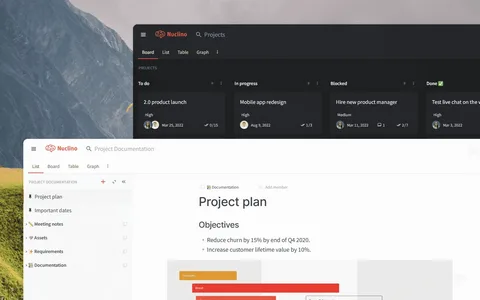
Digital tools simplify project planning by organizing tasks, improving collaboration, and making progress easier to monitor. When combined with clear goals, realistic timelines, and regular reviews, they help teams manage change confidently. Choosing suitable technology and maintaining consistent planning habits can reduce confusion, save time, and support better project outcomes.












Leave a Reply