

Every search engine keeps a few ghosts. Type ext:asp intitle:cart into Google and you meet some of the oldest: shopping cart pages built around the turn of the century, still listed, still reachable, sometimes still attached to shops that open every morning as if nothing had changed. The query takes a minute to explain. The better question is how those pages survived a quarter of a century of web history — and what their owners should do now.
It is really a story about a technology that arrived in 1996, helped ordinary businesses sell online for the first time, reached the end of its life years ago, and yet never quite left the building
It starts with a technology from 1996
ASP stands for Active Server Pages. Microsoft released ASP 1.0 in 1996, alongside its IIS web server, and it solved a real problem. Before it, a web page was mostly a fixed document. ASP let a server build the page at the moment someone asked for it — pulling a product from a database, adding up a basket, showing a total. Most pages were written in VBScript, a friendly language that part-time developers could pick up from a book over a few weekends.
ASP 3.0 arrived in 2000, and by then the pattern was set. A small business bought a ready-made cart package, a local developer installed it on Windows hosting, and the shop went live. No app store, no monthly platform fee. Just files ending in .asp, doing honest work.
| Year | Milestone | Why it mattered |
| 1996 | ASP 1.0 released with Microsoft IIS | Ordinary servers could build pages on request |
| 2000 | ASP 3.0 arrives | The mature version most small shops were built on |
| Early 2000s | Packaged cart software booms | A shop could be bought, installed and trading in days |
| Later years | ASP.NET takes over; Classic ASP reaches end of life | No fresh security support, yet the old pages stay online |

Built for a season, left running for decades
Nobody planned to run the same cart for twenty years. It happened one year at a time. The shop worked. Orders arrived. The developer who built it moved away or stopped answering emails, and touching the site began to feel riskier than leaving it alone. So it stayed.
Three kinds of leftovers make up most of what this search finds. There are the living fossils — real businesses that never migrated because nothing ever forced them to. There are abandoned stores, closed in every sense except the technical one: the hosting kept renewing, so the pages kept answering. And there are forgotten subdomains — a test shop or old version parked on a corner of a domain, set up for a weekend in 2009 and never taken down. Each layer sits in the index on top of the last, which is why searching here feels less like browsing and more like digging.

Old web pages settle in layers, each era resting on the one before it.
The small shops behind the results
It helps to remember who is on the other end of these pages. Not a careless corporation, usually, but a fishing-tackle seller, a family bakery taking postal orders, a specialist parts shop run by two people and a dog. For them the website was never the business. It was a side door that a nephew or a local freelancer built one spring, and it has been quietly taking orders ever since. That is why the advice later in this article is written for owners, not about them.
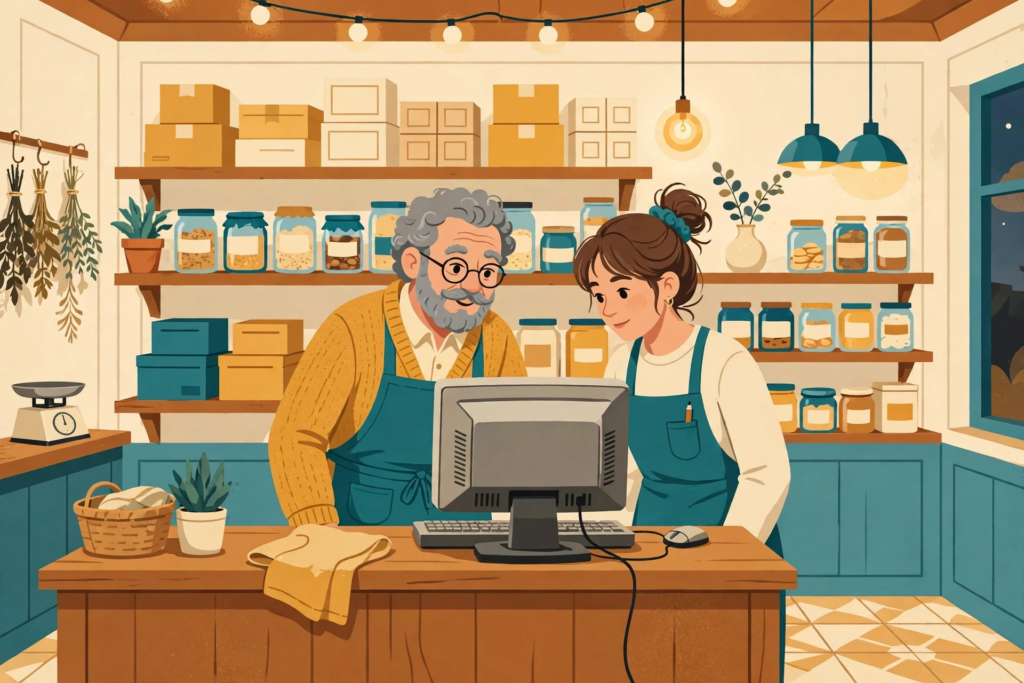
For many owners, the website was always just a side door to the real shop.
Where this query lives: the Google Hacking Database
Security researchers keep catalogues of useful search queries, and the best known is the Google Hacking Database, often shortened to GHDB. The idea is simple and a little unsettling: a search engine has already indexed an enormous amount of the web, so a carefully built query can act like a lantern, showing pages their owners may not realise are public. Queries gathered this way are nicknamed dorks, and ext:asp intitle:cart belongs to that family — one entry among thousands.
A catalogue, though, is only a list of lanterns. Defenders use it to check their own ground first, which is the spirit in which this article uses it. Looking at public listings is one thing; probing a stranger’s site is another, and nothing here invites that.
The query itself, in thirty seconds
Read it as two instructions stapled together. The first half, ext:asp, asks for pages tied to the .asp file extension — the fingerprint of a Classic ASP page. The second half, intitle:cart, asks for the word cart in the page’s title, where old cart software almost always announced itself: Shopping Cart, View Cart, Your Cart. One honesty note: the operator Google officially documents is filetype:, and ext: works as its alias. And one limit: a result shows only that a page was indexed and matched. It proves nothing about whether the shop is trading, the checkout works, or the site is safe.
Check your own shop before a stranger does
Everything a stranger can find with this query, you can find first — and on your own site, finding it is the job. Turn the same operators on your own domain: a site: search limited to your address, combined with filetype: for .asp, shows which legacy pages Google still lists as yours. Many owners are surprised. The old cart is expected; the forgotten test page usually is not.

Google Search Console gives the fuller picture. Its coverage and Pages reports list what is indexed, what is excluded, and what Google found but chose not to list — often the first place a forgotten subdomain shows itself. Sort the list into three piles: pages the shop still needs, pages that should redirect somewhere sensible, and pages that should not be public at all. For that third pile, the general tools are robots.txt, which tells search engines where not to crawl, and a noindex instruction, which asks for a page to be left out of results. Neither is a lock — they manage visibility, not access — so anything genuinely private must also come off the public site or sit behind a proper login.

| Operator | Its self-audit job | What it surfaces |
| site: | Limits results to your own domain | Every indexed corner of your shop |
| filetype: | Filters to one kind of file | Your remaining .asp pages |
| inurl: | Looks for a word in the address | Test, admin or old sections in URLs |
| intext: | Looks for a word in the page text | Pages mentioning terms you have retired |
Stay, rebuild, or close the doors
Once an owner can see the whole estate, the decision gets simpler, because there are really only three honest paths. None of them is “leave it and hope”, because unsupported software does not get safer with age, and an indexed old cart is a standing invitation for the wrong kind of attention.
| Path | Suits whom | The main work involved |
| Rebuild on ASP.NET | Shops staying on Windows hosting with a developer who knows it | Rebuilding the cart while keeping products, accounts and addresses |
| Move to a modern stack | Most small shops, especially without in-house help | Exporting the catalogue, rebuilding the shop, redirecting old addresses |
| Retire the store properly | Businesses that have closed or sell elsewhere now | Taking pages down cleanly instead of letting them rot in the index |
Whichever path is chosen, redirect old addresses to their new homes rather than abandoning them, and keep checking Search Console for a few months afterwards, because indexes forget slowly. These shops are not an embarrassment; they are the first generation of online selling, still standing. The only real mistake is not knowing yours is among them.
Frequently Asked Questions

How old is Classic ASP, exactly?
It dates from 1996, when Microsoft released ASP 1.0 with its IIS server. ASP 3.0 followed in 2000 and became the version most small shops were built on, so the oldest cart pages this search finds are well over twenty years old.
What is the Google Hacking Database in plain words?
It is a public catalogue of carefully built search queries, nicknamed dorks, that surface particular kinds of indexed pages. Owners use it mainly as a checklist: if a query in the catalogue can find your pages, you can find and fix them first.
Why are shops that closed years ago still in Google’s results?
Because closing a business and closing a website are two different acts. If the hosting keeps renewing and the pages keep answering, Google has no reason to drop them. The index reflects what is online, not what is trading.
How can I list every .asp page Google has indexed for my own site?
Search your own domain with the site: operator together with filetype:asp, then cross-check in Google Search Console, whose Pages report shows indexed URLs in full. Together they give a working inventory of your legacy pages.
Does robots.txt remove a page that is already indexed?
Not reliably. Robots.txt tells search engines where not to crawl, and a page they cannot crawl can stay listed as a bare address. A noindex instruction is the tool that asks for removal from results — and anything truly private should not be public anyway.
What is a forgotten subdomain, and why does it matter here?
It is an extra address under your domain — a test shop or old version set up briefly and never removed. Search engines find them eventually, and they often run the oldest, least maintained software on the whole domain.
Is ASP.NET just a newer name for Classic ASP?
No. They share a name and a maker, but ASP.NET is a different, later framework, and its addresses usually end in .aspx. This search, with its plain .asp target, belongs to the older Classic ASP world.
Can an old cart simply be looked after instead of replaced?
Care helps for a while — tidy files, strong passwords, nothing public that should not be — but Classic ASP no longer receives security support, so the risk only grows. Looking after an old cart is a bridge to a rebuild or retirement, not a destination.
If I migrate my shop, will the old pages vanish from search at once?
No, and that is normal. Indexes update gradually. Redirecting each old address to its new home speeds the process and protects customers and rankings, and Search Console lets you watch the old listings fade over the following weeks.
I found a competitor’s old cart using this search. What may I do with that?
You may look at the public listing, as any searcher can — that is ordinary market awareness. You may not probe, test or interfere with their site: without the owner’s permission, that crosses from research into intrusion.












Leave a Reply