

Introduction: A Small Phrase That Confuses a Lot of People
Search for fancyai skills and you will probably land here with one simple question in your head: what exactly are these skills, and do I need them? It is a fair question, because the word skills normally means something a person learns. You take a course, you practise, you get better. That is not what this page is about, and clearing that up early will save you a lot of confusion.
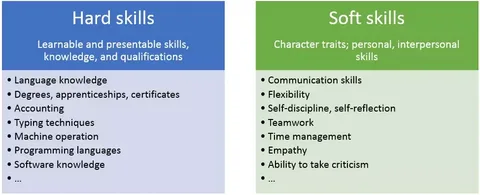
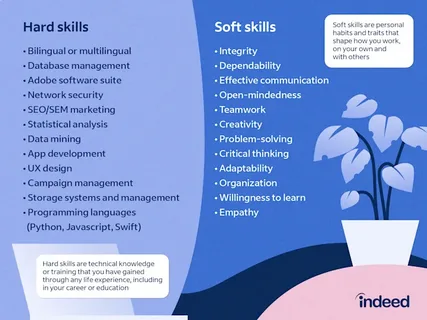
fancyai skills are not lessons. They are not a training course, a certificate, or a list of things you personally have to learn. They are built-in workflow modules inside FancyAI, a desktop AI platform aimed mainly at businesses, online sellers, fashion brands and marketing teams. Think of each skill as a ready-made job description for the software. One skill watches your customer data. Another turns a new product entry into launch material. Another keeps an eye on social trends so your team is not always playing catch-up.
In this guide I will walk through all eight fancyai skills listed on the official FancyAI desktop page, explain each one in normal language, and show where each one helps and where it does not. I will also cover the photo and video tools that made FancyAI known in the first place, who this platform suits best, how to get started without making a mess of your workflow, and what the pricing picture looks like right now. Where a detail comes from a third-party source rather than FancyAI itself, I will say so plainly. No hype, no invented numbers, just a clear picture you can actually use.
What fancyai skills actually are, in plain English
Let me put the definition in one place, because everything else in this article builds on it. On its official desktop page, FancyAI describes its skills as the way the platform unifies core workflows into a single, native command center. In other words, a skill is a packaged workflow. It knows what data to look at, what steps to follow, and what kind of output to produce.
That is also why fancyai skills only make full sense alongside integrations. A skill on its own is just a promise. Connected to a customer relationship management system, often shortened to CRM, it can read real customer behaviour. Connected to an enterprise resource planning system, or ERP, it can react to real stock and product data. Connected to a digital asset management library, or DAM, it can reuse approved brand images instead of inventing new ones every time. The skill is the brain for one job, and the integration is its eyes and hands.
fancyai skills at a glance
Before the detail, here is the full set in one table. These are the eight skills listed on the official FancyAI desktop page at the time of writing.
| Skill | What it does | Best for |
| CRM Workflows | Reads customer behaviour, spots churn risk, drafts re-engagement campaigns | Retention and repeat sales |
| ERP Launch | Turns new product entries into launch assets, spec sheets and visuals | Fast product launches |
| DAM Library | Searches, organises and reuses approved brand assets | Brand consistency |
| Campaign Drafting | Creates briefs, copy angles, landing page sections and ad variations | Marketing teams |
| Performance Creative | Turns winning hooks and ad results into fresh creative variations | Paid social advertisers |
| Trend Monitoring | Tracks live social signals and turns trends into content plans | Social media teams |
| Product Design | Analyses best-selling styles and iterates silhouettes and patterns | Fashion and product brands |
| Desktop Command Center | Connects tools, files, systems and agents in one workspace | Coordinating everything |
Read that table once and a pattern jumps out. Six of the eight skills are about marketing, products and customers. That tells you who FancyAI is really built for. This is not a general office suite and it is not trying to be one. It is a commercial platform for teams that sell things, especially visual products where images, launches and campaigns decide whether a week makes money or loses it.
Skill 1: CRM Workflows — noticing unhappy customers before they leave
Every business has customers who quietly drift away. They stop opening emails. They buy less often. One day they are simply gone, and by the time anyone notices, winning them back is expensive. The CRM Workflows skill is built around that problem. According to FancyAI, it analyses customer behaviour, detects churn signals and generates personalised re-engagement campaigns from CRM data.
In practice, that means the skill looks at patterns a busy human team often misses. Who used to buy every month and has gone quiet for ninety days? Which customers clicked a sale email but never checked out? Which loyal buyers suddenly started ignoring a brand they clearly liked? A person can find those answers in a spreadsheet, but it takes hours and it rarely happens every week. A connected skill can watch continuously and flag the pattern while there is still time to act.
My honest take is simple. This is one of the most valuable fancyai skills for an established store with a decent customer list, and one of the least useful for a brand-new seller with fifty customers. Churn detection needs history to learn from. If your CRM is nearly empty, or full of messy duplicate records, fix the data first. The skill can only be as smart as the records it reads.
Skill 2: ERP Launch — from stockroom to sales page without the waiting
If CRM Workflows is about old customers, ERP Launch is about new products. FancyAI describes it as turning new product entries into launch assets, spec sheets and marketing visuals the moment inventory is registered. Read that again, because the timing is the whole point. The moment inventory is registered.
ERP Launch attacks that gap by treating the ERP entry itself as the starting gun. The technical data already sitting in the system, sizes, materials, colours, prices, becomes the raw material for a spec sheet and first marketing visuals. A human still approves and polishes, but nobody starts from a blank page, and nobody waits for an email chain to discover that a product exists.
Who gains most here? Sellers with frequent product drops. Fashion brands, footwear stores and consumer electronics retailers who launch items every week will feel the difference quickly. A shop that adds three products a year will not. As with the CRM skill, the value scales with volume, and it also depends on your ERP data being accurate. If your product entries are sloppy, the launch assets will be sloppy too, only faster.
Skill 3: DAM Library — ending the hunt for the right logo file
Ask anyone in a marketing team what quietly wastes their week and many will give the same answer: looking for files. The approved logo. The lifestyle photo from last spring. The product shot that legal cleared. These assets usually exist, scattered across drives, chat threads and email attachments, in versions nobody can confidently identify. The DAM Library skill is FancyAI answer to that everyday chaos. It lets the platform search, organise and reuse approved brand assets so every output stays consistent with your creative standards.
This sounds like the least exciting of the fancyai skills, and in a way it is. There is no glamour in a tidy library. But consistency is where brands are quietly won and lost. When an AI tool generates fresh material without reference to approved assets, you get drifting colours, wrong logos and a feed that slowly stops looking like one brand. When generation starts from an approved library, the new material has guardrails. It looks related to what came before, because it literally comes from what came before.
Skill 4: Campaign Drafting — the blank page, handled
Campaign Drafting is probably the skill most marketers will touch first. FancyAI says it creates briefs, copy angles, landing page sections and ad variations from one prompt connected to your data. That last phrase, connected to your data, is what separates it from an ordinary writing chatbot. A general AI writer knows nothing about your store. It can produce pleasant, generic copy about a shoe. The drafting skill, working with your product data and brand assets, is meant to produce copy about your shoe, in your voice, aimed at your customers.
The real enemy this skill fights is the blank page. Most campaign work is not hard because the ideas are impossible. It is slow because starting takes effort, and because one campaign needs the same idea expressed ten ways: a brief for the team, three angles for ads, a headline set, a landing page section, an email subject line. Drafting all of that by hand, every single week, is exactly the kind of repetitive creative labour that burns people out.
Used well, this skill becomes a first-draft machine. The human job shifts upward, from typing to judging. You pick the strongest angle, cut the weak lines, fix the claims, and add the one insight about your customers that no system could know. Used badly, it becomes a paste-and-publish machine, and that is where brands get into trouble. AI-drafted claims about materials, discounts or results must be checked by a person before they go live. Speed is a gift. Skipping review is not.
Skill 5: Performance Creative — feeding what already works
Paid advertising has a cruel rhythm. An ad performs well, everyone celebrates, then performance fades as the audience sees it too often. The team scrambles for fresh creative, often starting from zero, even though the winning ad already taught them what the audience responds to. Performance Creative is built for that moment. FancyAI describes it as converting winning hooks and ad results into fresh creative variations ready for Meta, TikTok and paid social teams.
The logic is sound. If a particular opening line, image style or offer angle produced clicks and sales, variations of it stand a better chance than random new ideas. This skill studies what worked and spins it forward: new visuals on the same hook, the same message reframed for a different platform, a winning TikTok idea rebuilt for Meta. It treats past performance as raw material instead of letting it die in a reports dashboard.
Skill 6: Trend Monitoring — hearing the noise early, without living online
Trends reward the early and punish the late. A sound, a format or a topic can be everywhere within days, and a brand that joins in week three looks like it copied everyone else, because it did. Trend Monitoring is the fancyai skills entry aimed at that race. FancyAI says it tracks live social signals and turns emerging topics into brand-consistent captions, visuals and content plans.
Notice the second half of that sentence. Plenty of tools can show you a trending list. The harder job is translation: taking a trend that started somewhere else entirely and reshaping it so it fits your products, your tone and your audience. A trend applied carelessly makes a brand look desperate. A trend translated well makes it look awake. This skill is meant to do the heavy lifting in that translation, producing draft content in your brand style rather than leaving you staring at a viral video wondering how it could possibly relate to selling shoes or skincare.
The honest limit is taste. No monitoring tool can tell you whether a trend is right for your brand, only that it is moving. Some trends will clash with your values, your audience age group or your product category, and jumping on them would cost more trust than the attention is worth. Let the skill surface and draft. Let a person decide and approve. That division of labour is where this skill earns its place.
Skill 7: Product Design — learning from what already sells
Product Design is the most specialised of the fancyai skills, and the clearest sign of FancyAI roots in fashion and e-commerce. The official description says it analyses best-selling aesthetics, replicates proven silhouettes and iterates pattern directions with AI precision. On the desktop page, FancyAI adds that connecting sales data and a design library lets a team move from trend discovery to production-ready prototypes far faster than the traditional route.
Translate that into workshop language. Instead of a designer starting each season from mood boards and guesswork, the skill studies what customers actually bought: which silhouettes moved, which patterns were ignored, which styles from competitors or market leaders keep winning. It then helps generate variations on those proven directions. This is not design by magic. It is design with the sales evidence on the table from day one.
Skill 8: Desktop Command Center — the room where the other skills meet
The eighth item on the list is a little different. Desktop Command Center is less a single task and more the home the other skills live in. FancyAI describes it as connecting tools, files, systems and agents so a team can orchestrate the full workflow from one workspace. The platform runs as a desktop application, which FancyAI presents as a native command center on your own computer rather than another browser tab among forty.
Why does that matter? Because workflow tools fail in a boring way: fragmentation. When customer data lives in one app, product files in another, drafts in a third and approvals in a chat thread, work falls into the gaps between them. A command center tries to close those gaps by giving the skills shared context. The campaign draft knows about the new ERP product because both live in the same workspace. The performance variation uses the approved DAM image because the library is right there. Each skill alone is useful. Connected, they start to behave like a small, coordinated team.
How the skills work together: one product launch, start to finish
Individual descriptions are useful, but fancyai skills make most sense as a chain. So let us follow one ordinary event through the platform: a mid-sized fashion store adds a new line of summer dresses to its system.
First, the dresses are registered in the ERP. ERP Launch reacts immediately, generating spec sheets and first marketing visuals from the product data instead of waiting for someone to brief a designer. Next, Campaign Drafting takes those products and produces a launch brief, copy angles and landing page sections, pulling approved imagery through the DAM Library skill so everything matches the brand look. Before launch day, Trend Monitoring has already flagged a rising summer style topic on social media, so the content plan leans into it with captions written in the store voice.
Launch day arrives and the ads go live. A week later, Performance Creative reviews which hook is winning and generates fresh variations before fatigue sets in. Meanwhile, CRM Workflows has identified past customers who bought similar dresses last summer and drafts a personalised re-engagement campaign for them. If the range sells well, Product Design studies which silhouettes and patterns moved fastest and feeds that evidence into the next buying and design round. And the whole sequence is watched and steered from the Desktop Command Center.
No single step there is magic. Each one is a job businesses already do, usually slower and with more copy-pasting between apps. The promise of fancyai skills is not that AI replaces the team. It is that the boring connective tissue between tasks, the chasing, reformatting and re-briefing, stops eating the team week.
The photo and video tools behind the skills
If the name FancyAI rings a bell, it is probably not because of workflow skills. Many people first met this platform through its creative editing tools, and understanding them helps explain where the skills came from. Third-party tool directories consistently describe a FancyAI editor built around fast visual jobs for sellers and creators.
The best-known tools include an AI background remover that cuts a product out of a messy photo in one click, and a video background changer that swaps or replaces the backdrop in a clip. There is an image enhancer that improves quality and resolution, an image expander that enlarges a picture while filling in the edges, and AI-generated backgrounds that place a product in a clean, professional scene with believable lighting and shadow. For fashion sellers, the standout is virtual try-on, which lets customers see clothing on virtual models instead of guessing from a flat product shot. Around those sit ready-made templates for common formats, and batch processing so a seller can clean up fifty product photos in one run instead of fifty separate edits.
Now connect the two halves. Those editing tools handle single visual jobs, and they handle them quickly. The fancyai skills are the layer above them, deciding when those jobs should happen, feeding them the right data, and routing the results into launches and campaigns. If the tools are the hands, the skills are the working habits. A platform with only tools still waits for you to do all the organising. A platform with skills starts doing some of the organising itself. That is the real story behind this keyword, and it is why FancyAI now presents itself as an AI expert agent platform rather than just another photo editor.
Who fancyai skills are really for
Let us be direct about fit, because this platform is not for everyone and pretending otherwise helps nobody. The strongest fit is an e-commerce or fashion brand with real volume: regular product launches, an existing customer list, active social channels and paid advertising. For that kind of business, several skills fire at once, the integrations have data to work with, and the time saved is measurable in hours every week.
The weak fits are just as clear. A solo creator who only needs a background remover now and then does not need eight connected business skills; the simple editing tools, or any good single-purpose editor, will do. A company with no CRM, no organised product data and no asset library will also struggle, not because the platform fails, but because skills feed on structure. Connecting chaos produces faster chaos. And a business outside visual commerce, say a law firm or a plumbing company, will find most of these skills pointed at problems it does not have.
How to get started without making a mess
The biggest mistake teams make with platforms like this is connecting everything on day one. It feels productive. It usually ends with confusion about what the system changed, drafted or sent. A calmer order works better.
- Step 1: Clean one data source first. Export your customer list or product catalogue and fix duplicates, missing fields and obvious errors before you connect it.
- Step 2: Build your approved asset folder. Gather your current logos, brand colours and best product photography into one place. This becomes the seed of your DAM Library.
- Step 3: Start with one skill. For most sellers, ERP Launch or Campaign Drafting gives the fastest visible win. Run it on one real product line, not the whole catalogue.
- Step 4: Keep a human approval gate. For the first month, nothing customer-facing should publish without a person reading it. Claims, prices and discounts need eyes on them.
- Step 5: Measure one thing. Pick a simple before-and-after number, such as hours from product registration to live listing, or hours spent drafting a campaign. If the skill works, that number moves.
- Step 6: Add skills one at a time. Bring in CRM Workflows once your data is trustworthy, and Performance Creative once you have ad results worth learning from.
Followed in that order, fancyai skills stop being a shiny purchase and become a working system. Rushed, they become one more dashboard nobody opens.
Pricing: what is reported, and what to check yourself
Pricing is the section where I need to be most careful with you, because the clearest numbers available come from a third-party comparison source, not from a confirmed official price list in front of me. Treat what follows as reported pricing to verify, not as a promise.
That third-party source reports a free plan with basic AI tools and limited use, including a small number of tool uses and low-resolution exports, aimed at trying the editor rather than running a business on it. It also reports Pro options of $1.99 weekly, $5.99 monthly and $39.99 annually, with a 30 percent discount mentioned for first-time subscribers. Those figures relate to the consumer-style editing plans reported by that source. They may not describe current enterprise or desktop agent pricing, which platforms of this kind commonly set by package, seats or custom quote.
So the practical advice is this. Use the reported numbers only as a rough sense of scale for the editing tools. Before you budget anything, open the official FancyAI website, check the current plan page for your region, and confirm what the desktop platform and its skills cost for a team of your size. Prices, trial terms and included features in AI tools change often, sometimes several times a year, and any article that states them without that warning is doing you a disservice.
FancyAI vs the alternatives: a fair comparison
Most readers weighing up fancyai skills are really choosing between three ways of working. This table sets them side by side.
| Factor | FancyAI skills | General AI chatbot | Single-purpose photo editor |
| Main job | Connected business workflows | Answering prompts and drafting text | One visual task per use |
| Works with your data | Yes, via CRM, ERP and DAM links | Only what you paste in | No business data |
| Automation level | Multi-step, triggered by events | Manual, prompt by prompt | Manual, file by file |
| Best output | Launches, campaigns, variations | Ideas, first drafts, answers | Clean product images |
| Brand consistency | Uses approved asset library | Depends on your prompting | Not applicable |
| Learning curve | Moderate, setup needed | Very low | Very low |
| Best for | E-commerce and marketing teams | Everyone, for general help | Quick one-off edits |
The table explains the trade honestly. A general chatbot is cheaper to start and brilliant for thinking out loud, but it knows nothing about your stock, your customers or your brand files unless you feed it everything by hand, every time. A single-purpose editor is unbeatable for one quick job. FancyAI skills ask more of you at the start, proper data, connected systems, an organised library, and in return they remove repeated manual steps that the other two options leave entirely on your desk. Which trade is right depends on how much repeated workflow pain you actually have.
Honest pros and cons
No review earns trust without both sides, so here they are without decoration.
Where fancyai skills shine:
- They attack handoffs, which is where small teams actually lose their time.
- The eight skills cover the full selling cycle, from product entry to repeat purchase.
- Brand consistency is designed in through the DAM Library rather than left to chance.
- Performance and trend skills keep content moving instead of letting winners go stale.
Where to be careful:
- Value depends on your data quality. Messy CRM or ERP records will limit every skill.
- Setup takes real effort, and small or occasional users may never recover that effort in saved time.
- Public pricing detail for the full desktop platform is thin, so budgeting needs a direct check.
- Drafts still need human review. Product claims, prices and trend choices cannot be left to automation.
Safety, privacy and trust
Any platform that connects to customer records and sales systems deserves a few direct questions before you hand over the keys. I cannot audit FancyAI security for you, and you should not take any blog word for it, including this one. What you can do is check the basics yourself. Read the current user agreement and privacy terms on the official site. Confirm who in your team can see customer data inside the platform, and use separate staff logins rather than one shared password. Start with a limited data set during your trial period instead of connecting your full customer history on day one. And keep your own backups of product files and customer exports, because no integration should ever be the only copy of your business data.
None of that is a reason to avoid the platform. It is simply the normal discipline any sensible business applies to a tool that touches customer information, and the platforms worth trusting expect exactly those questions.
Final verdict: useful skills, if your business is ready for them
So, are fancyai skills worth your attention? If you sell visual products online, launch items regularly and already keep customer and product data in real systems, then yes, this is one of the more practical directions AI tools are taking. The eight skills are not gimmicks. Each one maps to a job that genuinely eats time in a commercial team, and together they cover the road from a product arriving in stock to a happy customer buying again.
If you are a casual creator or a very small seller, the honest answer is different. Start with the simple editing tools, organise your files, grow your customer list, and come back to connected skills when the weekly workload starts to hurt. Tools should arrive when the problem does, not before it.
Either way, you now know what the phrase actually means. fancyai skills are not something you study. They are something your software does: watching, drafting, organising and creating in the background, so the humans on the team can spend their hours on judgement, taste and customers, which were always the parts no skill could replace.
Frequently Asked Questions
1. What are fancyai skills?
fancyai skills are built-in workflow modules inside the FancyAI desktop platform. Each skill handles one business job, such as reading customer data, launching products, drafting campaigns or monitoring trends, by connecting to systems like your CRM, ERP and brand asset library.
2. Are fancyai skills courses I can learn from?
No. Despite the name, they are not lessons, courses or certificates for people. They are software capabilities. The skill belongs to the platform, not to you, although your team will still need its own skills in judging and approving what the platform produces.
3. How many fancyai skills are there?
The official FancyAI desktop page lists eight: CRM Workflows, ERP Launch, DAM Library, Campaign Drafting, Performance Creative, Trend Monitoring, Product Design and Desktop Command Center. The list may grow over time, so check the official page for the latest set.
4. What is FancyAI used for?
FancyAI is used mainly by e-commerce brands, fashion sellers and marketing teams to create product visuals, launch products faster, draft campaigns, produce ad variations and manage content. It is also known for photo and video editing tools such as background removal and virtual try-on.
5. Do I need a CRM or ERP to use fancyai skills?
Not for every feature, but the data-driven skills work best with connected systems. CRM Workflows needs customer data and ERP Launch needs product and inventory data. Without those connections, you can still use creative tools, but the automation will be limited.
6. Is FancyAI free to use?
A third-party source reports a free plan with limited tool uses and low-resolution exports. Because plans and prices change, treat that as a starting point only and confirm the current free and paid options on the official FancyAI website before you rely on them.
7. How much does FancyAI Pro cost?
One third-party comparison source reports Pro at $1.99 weekly, $5.99 monthly or $39.99 annually, with a 30 percent first-time discount. These figures are not confirmed here as current official pricing, and team or desktop pricing may differ, so verify on the official site.
8. What is the difference between FancyAI skills and its photo editor tools?
The photo and video tools do single jobs: remove a background, enhance an image, change a video backdrop or create a virtual try-on. The skills sit above them and organise whole workflows, deciding what to create, from which data, and where the result goes next.
9. Who should use fancyai skills?
Online sellers, fashion and product brands, and marketing teams with frequent launches, an existing customer list and active advertising will get the most value. Very small or occasional users will usually be better served by the simpler editing tools alone.
10. Can fancyai skills replace a marketing team?
No, and they are not honestly presented that way here. They remove repetitive drafting, organising and monitoring work, but strategy, taste, pricing decisions and final approval still belong to people. Teams that keep a human review step get the best results from them.












Leave a Reply