
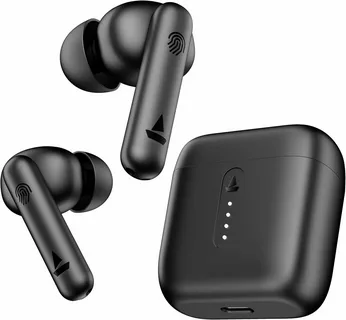
Wireless earbuds have become an everyday accessory for people who listen to music, watch videos, attend online meetings, or make phone calls while travelling. Without a traditional wired connection, they offer greater freedom of movement and make it easier to enjoy audio on smartphones, tablets, laptops, and other compatible devices.
The Winbridge LUX01PK wireless earbuds are a specific product worth researching for anyone looking for information about their features, everyday usability, and potential value. When considering a particular earbud model, it is important to look beyond its name and understand which specifications are confirmed, which features matter in daily use, and what buyers should check before making a purchase.
Not every wireless earbud offers the same sound quality, battery performance, microphone clarity, or connection stability. Even products that look similar can provide different experiences depending on their design and hardware.
This guide explores the Winbridge LUX01PK wireless earbuds, explains the main factors that influence their performance, and provides practical advice for evaluating the model before buying it.
Design and Appearance of Winbridge LUX01PK Wireless Earbuds
One of the most distinctive aspects of the Winbridge LUX01PK is its jewellery-inspired appearance. Unlike conventional earbuds that usually focus on a plain plastic finish, this model is presented with a rose-gold look intended to make the earbuds resemble a fashionable accessory.
The design may appeal to people who want their audio equipment to complement their everyday clothing rather than look like a purely technical device.
Appearance is a personal preference, of course. Some buyers prefer discreet black earbuds, while others enjoy colourful designs, metallic finishes, or accessories that stand out. The LUX01PK takes the more decorative approach.
Its semi-open design is another important part of its identity. Rather than relying on the tightly sealed feeling associated with many in-ear headphones, this style is intended to provide a lighter, less enclosed listening experience.
According to the manufacturer’s product listing, the model combines a semi-open ergonomic fit with a rose-gold finish.
Why the Semi-Open Design Matters
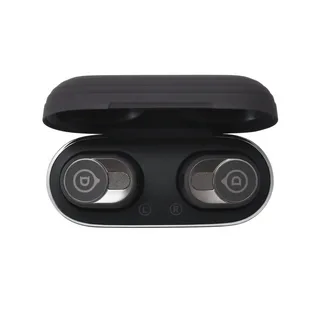
Earbud shape can make a noticeable difference to everyday comfort. A tightly fitting earbud may provide stronger isolation from surrounding sounds, but some users find that this creates pressure or discomfort during extended listening.
A semi-open design offers a different experience. Depending on the shape of the ear and how the earbuds sit, it may feel less enclosed and allow some surrounding sound to remain audible.
This can be useful when listening to a podcast at home, following an audiobook while completing light household tasks, or taking a call in an environment where complete isolation is unnecessary.
However, an open or semi-open design does not automatically guarantee a perfect fit for every person. Ear shapes vary considerably, and an earbud that feels comfortable to one user may move around or create pressure for another.
People who are sensitive to earbud fit should pay attention to the product’s shape, return policy, and available support before making a purchase.
A Fashionable Alternative to Traditional Earbuds
The jewellery-inspired appearance gives the Winbridge LUX01PK a different identity from many standard wireless audio products.
This may be especially appealing to buyers who use earbuds throughout the day and prefer accessories that suit their personal style. It can also make the product an interesting gift option for someone who enjoys decorative technology.
Still, appearance should not be the only consideration. A stylish product needs to perform well enough for the activities its owner expects to do.
Before purchasing, consider whether the design feels comfortable, whether the controls are easy to use, and whether the audio performance suits your listening habits.
Bluetooth Connectivity and Device Compatibility
Wireless connectivity is central to the experience of using any pair of Bluetooth earbuds. Buyers generally expect their headphones to connect without complicated steps and remain connected while they listen, work, or move around.
The Winbridge LUX01PK is advertised with Bluetooth 6.0 and compatibility with iOS and Android devices.
Jewelry Style
This makes it relevant to people using compatible smartphones and tablets from different manufacturers. Actual compatibility with an individual device can still depend on its operating system, Bluetooth implementation, and available features.
Pairing the Earbuds for the First Time
The first connection usually involves placing the earbuds into pairing mode and selecting them from the Bluetooth menu on a phone or other compatible device.
The precise sequence can differ between products, so the manufacturer’s instructions should be followed for the LUX01PK rather than assuming that every earbud uses identical controls.
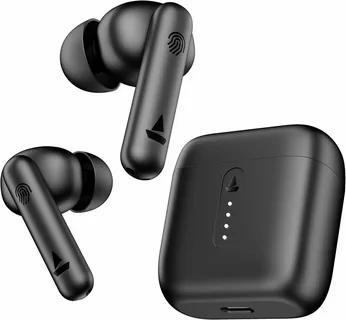
After a successful initial connection, compatible earbuds may reconnect automatically when removed from their case or powered on. The manufacturer’s listing describes quick pairing and automatic reconnection as part of the advertised experience.
Jewelry Style
If the earbuds do not appear in the Bluetooth menu, several simple checks may help:
- Confirm that the earbuds have sufficient charge.
- Make sure they are in the correct pairing mode.
- Check whether they are already connected to another nearby device.
- Turn Bluetooth off and on again on the phone.
- Consult the product instructions if the normal pairing process fails.
These steps are common troubleshooting measures rather than a guarantee that every connection problem will be resolved.
Understanding Bluetooth 6.0
Bluetooth is the wireless technology that allows compatible devices to exchange audio and other information over short distances.
Newer Bluetooth versions introduce improvements to the broader technology, but the experience of a particular product depends on more than the version number alone. Hardware design, software, supported profiles, radio conditions, and implementation all affect real-world performance.
Consequently, Bluetooth 6.0 should not be interpreted as proof that the Winbridge LUX01PK will deliver better sound than every earbud using an earlier version.
For everyday buyers, the more practical questions are whether the connection remains stable, whether audio stays synchronised with video, and whether the earbuds work reliably with the devices they use most often.
Connection Stability in Everyday Situations
Wireless earbuds are typically used in many different environments, including homes, offices, public transport, and outdoor spaces.
A stable connection matters when listening to music, following online lessons, watching videos, or taking calls. Interruptions can be frustrating, especially during a conversation or an important meeting.
Bluetooth performance can be affected by distance, walls, interference from other wireless devices, and the design of the connected hardware.
If interruptions occur, try using the earbuds closer to the phone and moving away from sources of wireless interference. Updating the phone’s software or reconnecting the earbuds may also help.
The manufacturer’s stated Bluetooth version provides a useful specification, but independent testing would be needed to establish the model’s actual connection range and reliability under different conditions.
Sound Quality: What Should Buyers Expect?
Sound quality is one of the most important factors when choosing wireless earbuds. A product may look attractive and connect easily, but its long-term value depends partly on whether the audio suits the listener.
The Winbridge LUX01PK is marketed for everyday listening, including music, podcasts, and videos. The manufacturer’s product information describes its sound as balanced for general listening.
Jewelry Style
That description provides an indication of the intended use, but it is not a substitute for independent audio measurements or a detailed listening test.
Listening to Music
Music can reveal a great deal about how earbuds perform. Listeners may notice differences in bass depth, vocal clarity, instrument separation, and overall balance.
People who enjoy pop, acoustic music, classical recordings, podcasts, or spoken-word content may have different preferences. Someone who prioritises deep bass may evaluate earbuds differently from someone who mainly listens to vocals or instrumental music.
The semi-open design of the LUX01PK may also influence the listening experience compared with sealed in-ear headphones. The fit between the earbud and the listener’s ear can affect how bass and other frequencies are perceived.
For the best assessment, listen to familiar tracks at a moderate volume. Familiar recordings make it easier to notice whether vocals sound clear and whether instruments remain distinguishable.
Podcasts and Audiobooks
For podcasts and audiobooks, intelligibility often matters more than powerful bass.
Listeners need to understand spoken words without repeatedly adjusting the volume. A comfortable fit is also important because spoken content may continue for long periods.
The LUX01PK’s intended everyday-listening use may suit people who regularly listen to conversations, educational content, interviews, or narrated books.
However, buyers should not assume that the earbuds will perform identically for every voice or recording. Audio quality also depends on the source material, playback device, and individual hearing preferences.
Watching Videos and Streaming Content
Wireless earbuds can make it easier to watch videos privately without disturbing people nearby.
They may be useful for online classes, video calls, tutorials, and entertainment on a smartphone or tablet.
One consideration is audio latency, which refers to the delay between the visual action and the sound reaching the listener. Bluetooth implementations and device software can affect synchronisation.
The product information reviewed does not establish a specific measured latency figure for the LUX01PK. People who frequently play competitive games or use applications that require very precise audio timing should verify whether the model suits those needs.
Listening in Noisy Environments
A semi-open earbud may allow more surrounding sound to reach the listener than a tightly sealed design. This can be useful for maintaining awareness in some everyday settings, but it can also make music harder to hear in a noisy environment.
The LUX01PK should not be assumed to provide active noise cancellation simply because the product description mentions noise reduction for calls. These are different functions.
Buyers who frequently travel on loud public transport or work in noisy environments may prefer headphones specifically designed for stronger sound isolation.
When listening outdoors, keep the volume at a level that allows appropriate awareness of traffic, pedestrians, and other hazards.
Battery Life and Charging Case
Battery life can determine whether wireless earbuds remain convenient throughout a typical day.
The manufacturer’s product listing states that the Winbridge LUX01PK provides up to seven hours of playback per charge, with more than 30 additional hours of backup from the charging case.
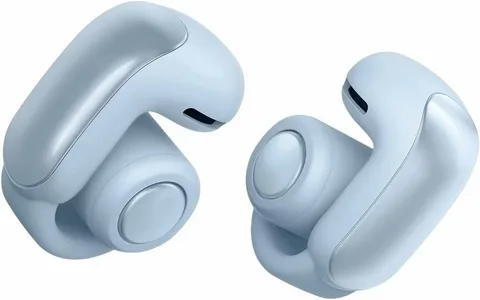
These figures are advertised maximums, not guaranteed results for every listening session.
What Does Seven Hours of Playback Mean?
Seven hours of playback per charge could be useful for several everyday activities, such as listening to music while working, watching videos, or taking calls throughout the day.
Actual battery performance depends on the way the earbuds are used. Volume level, call duration, wireless conditions, battery age, and other operating factors can affect the time between charges.
If someone listens for two hours each morning and another hour in the evening, their usage pattern differs from that of a person who listens continuously for most of a workday.
For this reason, it is helpful to compare the advertised playback time with your normal routine rather than focusing on the largest number alone.
Why the Charging Case Is Important
A charging case makes wireless earbuds easier to carry and recharge when they are not being used.
Instead of requiring a separate charging session every time the earbuds run low, a case with sufficient stored energy can provide additional listening time while travelling or moving between activities.
Winbridge advertises more than 30 additional hours of backup from the LUX01PK case.
Jewelry Style
The combined figure should not be confused with continuous playback on a single earbud charge. The earbuds still need to return to the case for recharging between listening sessions.
How to Maintain Battery Performance
A few simple habits can help maintain the usefulness of rechargeable earbuds.
Keep the charging contacts clean and dry, use a compatible charging method, and avoid leaving the device in conditions outside the manufacturer’s recommended temperature range.
If the earbuds or case become unusually hot, show signs of physical damage, or stop charging normally, discontinue use until the problem has been assessed appropriately.
Battery capacity naturally changes over time. If playback becomes noticeably shorter after prolonged use, the battery may have aged or another charging issue may be affecting performance.
Before travelling, check the charge level of both the earbuds and the case. This is especially helpful when you expect to use them for a long journey or several meetings.
Microphone Quality and Phone Calls
Wireless earbuds are not only used for entertainment. Many people rely on them for business calls, conversations with family, online meetings, and voice messages.
Microphone performance matters because the person on the other end needs to hear speech clearly. A good listening experience does not necessarily mean the microphone will perform equally well, since playback and voice capture involve different components.
The Winbridge LUX01PK product listing mentions built-in noise reduction intended to support clearer calls.
Jewelry Style
Making Calls at Home or in the Office
For everyday conversations in a quiet room, wireless earbuds can be convenient because they allow the user to move around without holding a phone.
They can also make short meetings easier to manage, particularly when taking notes or using a computer at the same time.
Call quality depends on microphone placement, the surrounding environment, network conditions, and the software used for the call. A quiet room will generally make it easier for the other person to understand speech than a crowded public space.
Anyone planning to use the LUX01PK for frequent professional calls should test the microphone with their preferred calling application before relying on it for important meetings.
Understanding Noise Reduction for Calls
Noise reduction in a microphone system is intended to help reduce unwanted background sounds in the transmitted voice.
For example, it may help when someone is speaking in a room with mild background noise. However, the exact result depends on the implementation and the type of noise present.
Noise reduction for calls is not the same as active noise cancellation for the listener. One function concerns what the other person hears, while the other concerns reducing surrounding sound reaching the wearer.
The product description does not establish how well the LUX01PK performs against particular noises, such as wind, traffic, or crowded public spaces. Independent testing would be needed to make a more specific judgement.
Comfort for Daily Use
Comfort is personal, and it can be just as important as sound quality when choosing earbuds.
Some people wear earbuds for short periods, while others use them during an entire workday. A design that feels fine for 20 minutes may become uncomfortable after several hours.
The Winbridge LUX01PK is marketed with a semi-open ergonomic design intended to provide a comfortable everyday fit.
Jewelry Style
Finding the Right Fit
An earbud needs to sit securely enough to remain in place without creating excessive pressure.
The ideal fit depends on the shape of the outer ear, the position of the ear canal, and personal sensitivity. Even a lightweight product may not feel comfortable to everyone.
When first trying the earbuds, start with a short listening session. Pay attention to pressure, movement, and whether the earbuds remain secure during normal head movements.
If they cause pain or irritation, remove them rather than trying to force a fit. Persistent discomfort may indicate that a different design would be more suitable.
Comfort During Long Listening Sessions
For longer sessions, take occasional breaks and remove the earbuds when they are not needed.
Keep the earbuds clean, particularly if they are used regularly or shared with another person. Follow the manufacturer’s cleaning instructions and avoid allowing moisture to enter the electronic components.
Volume also matters. Listening at excessive levels can contribute to hearing damage regardless of how comfortable the earbuds feel.
The best daily-use experience combines a suitable fit, reasonable listening volume, and breaks that allow the ears to rest.
Are They Suitable for Exercise?
The LUX01PK’s semi-open design may appeal to people who want to listen to music while moving around, but suitability for exercise depends on fit security and environmental protection.
The available product information does not establish a specific water-resistance rating or confirm suitability for intense workouts.
Buyers who plan to use earbuds for running, gym sessions, or outdoor training should verify the manufacturer’s guidance on sweat resistance, moisture protection, and secure fit.
Do not assume that a product can withstand heavy perspiration or rain simply because it is wireless.
Winbridge LUX01PK for Work, Travel, and Everyday Activities
The same pair of earbuds may be used in several settings, but the most useful features vary according to the situation.
At Work
For office tasks, wireless earbuds can help people listen to training material, attend online meetings, and enjoy music during suitable breaks.
The semi-open design may be appealing to users who dislike the enclosed feeling of some in-ear headphones.
However, people working in shared offices should consider whether their listening habits disturb colleagues. A design that lets the wearer hear surrounding sounds does not necessarily prevent audio from being audible to others.
For frequent meetings, test the microphone and connection before using the earbuds for an important call.
While Travelling
Wireless earbuds are easy to carry and can be useful during journeys, airport waits, and other periods when listening privately is convenient.
The charging case provides a practical way to store the earbuds between uses, while the advertised battery capacity may be sufficient for many everyday trips.
However, semi-open earbuds may not be ideal for people who want to block out the sound of engines, crowds, or other passengers. Their actual usefulness depends on the travel environment and the listener’s preferences.
Keep the volume low enough to remain aware of important announcements and nearby activity.
At Home
At home, wireless earbuds can be used for podcasts, online learning, casual entertainment, and phone conversations.
They may be especially useful when several people share a living space and one person wants to listen without playing audio through a speaker.
The semi-open design can provide a less enclosed experience, although the amount of outside sound that remains audible will depend on the fit and surroundings.
For Study and Online Learning
Students can use wireless earbuds to listen to recorded lessons, language-learning material, lectures, and educational videos.
Comfort and speech clarity are particularly important when listening to information for long periods.
A useful approach is to keep the volume moderate, take regular breaks, and test the connection before joining an important online class.
The LUX01PK’s advertised everyday-listening features may suit these activities, but buyers should evaluate their own comfort and the clarity of the audio before making it their primary study accessory.
How to Pair Winbridge LUX01PK With a Smartphone
The general Bluetooth pairing process is straightforward, although the precise steps for entering pairing mode should be confirmed in the product instructions.
For a typical compatible smartphone:
- Charge the earbuds and charging case if necessary.
- Open the phone’s Settings menu.
- Select the Bluetooth section and enable Bluetooth.
- Place the earbuds in their required pairing mode according to the manufacturer’s instructions.
- Look for the appropriate device name in the available Bluetooth list.
- Select the device and follow any confirmation prompts.
- Play a short audio clip to check that sound is coming through the earbuds.
Once the connection is established, the phone may remember the device for future use.
If pairing does not work, check whether the earbuds are already connected to another device. You may also need to remove an old Bluetooth pairing and reconnect.
Avoid assuming that a particular tap sequence or reset procedure applies to the LUX01PK unless it is confirmed by the manufacturer.
Common Problems and Practical Troubleshooting
Even well-designed wireless earbuds can occasionally experience connection, charging, or audio problems. Identifying the likely cause can help users decide what to try next.
The Earbuds Will Not Connect
First, check the charge level and confirm that the earbuds have entered pairing mode.
Make sure Bluetooth is enabled on the phone and that the earbuds are not already connected to another device.
If the problem continues, consult the instructions for the correct reset or reconnection process. Different models can use different procedures, so following the correct instructions is important.
Only One Earbud Produces Sound
Check the audio balance settings on the connected phone and make sure the earbuds are correctly paired as a set.
If the product uses a synchronisation process between the two earbuds, follow the manufacturer’s instructions to restore that connection.
A low battery, dirty charging contact, or hardware fault may also be responsible. If basic checks do not resolve the issue, contact the seller or manufacturer.
The Sound Keeps Cutting Out
Try keeping the phone closer to the earbuds and reducing obstacles between the devices.
Other wireless devices and crowded radio environments may contribute to interference. Restarting Bluetooth or reconnecting the earbuds can sometimes help.
If interruptions continue across multiple devices and environments, the issue may require further troubleshooting.
The Battery Does Not Last as Expected
Actual playback time can differ from advertised maximums. Check whether the earbuds are fully charged and consider the volume level and amount of time spent on calls.
Clean the charging contacts carefully according to the manufacturer’s guidance. If the case does not appear to recharge the earbuds properly, inspect it for visible damage.
Persistent battery problems should be referred to the manufacturer or seller, particularly if the product is still covered by a warranty.
The Microphone Sounds Unclear
Test the earbuds in a quiet environment to determine whether background noise is the main issue.
Check the microphone permissions for the calling application and make sure the phone is using the earbuds as the audio input device.
If the problem occurs across different applications, additional testing or support may be necessary.
How to Choose the Right Wireless Earbuds
The Winbridge LUX01PK will not necessarily suit every buyer, because wireless earbuds serve different needs.
Before choosing a model, consider the factors that matter most to your everyday use.
Sound Quality
Listen for clear speech, balanced music, and enough detail for your preferred content.
If you mainly listen to podcasts, spoken-word clarity may matter more than deep bass. If music is your priority, compare the sound using familiar recordings.
Battery Life
Consider how long you typically listen before you can recharge.
A person who uses earbuds for short journeys may have different requirements from someone who attends meetings throughout the day.
Check both the advertised playback time and the charging case’s contribution.
Fit and Comfort
Try to establish whether the shape suits your ears and whether the earbuds remain comfortable during extended use.
If you prefer a sealed fit for sound isolation, a semi-open model may not meet your expectations.
Microphone Performance
If you make regular phone calls, look for evidence of clear voice capture in the environments where you normally speak.
A microphone that performs adequately in a quiet room may struggle in wind or heavy background noise.
Connectivity
Confirm compatibility with your phone, tablet, or computer.
The advertised Bluetooth version is useful information, but stable performance and support for the functions you need are more important than the version number alone.
Price and Warranty
Compare the total price with the product’s features, support arrangements, and warranty coverage.
A higher price does not automatically mean better sound, and a lower price does not guarantee good value.
Check the seller’s return policy, shipping charges, and warranty conditions before purchasing.
Winbridge LUX01PK Wireless Earbuds: Price and Value
Price is an important part of deciding whether a product is worth buying. The official WinBridge Store listing reviewed for this article displayed the LUX01PK at a sale price of $119, reduced from a listed regular price of $159. Prices and promotions can change, so buyers should confirm the current amount before ordering.
Jewelry Style
At this price, it makes sense to consider what you are paying for. The product combines a jewellery-inspired appearance with everyday wireless audio features, rather than focusing exclusively on conventional headphone styling.
For someone who values the rose-gold design and wants earbuds that function as a personal accessory, that combination may be appealing.
Someone who cares mainly about audio performance, however, may want to compare other models at a similar price. Sound quality, noise isolation, microphone performance, durability, and battery life should all be considered alongside appearance.
What to Check Before Ordering
Before purchasing the Winbridge LUX01PK, review the current product listing and confirm the following details:
- The exact model number and colour.
- The advertised battery life and charging-case capacity.
- Compatibility with your preferred devices.
- The available payment and shipping options.
- The return policy and warranty conditions.
- Whether the seller offers customer support if a problem develops.
These checks are particularly important when buying electronics online because photographs alone cannot establish how a product will fit or sound.
It is also worth checking whether the final price includes shipping, applicable taxes, and any import charges relevant to your location.
Winbridge LUX01PK vs. Other Types of Wireless Earbuds
The most useful comparison is not necessarily between brand names. It is between the different styles of earbuds and the needs they are designed to meet.
Semi-Open Earbuds
Semi-open earbuds aim to provide a less enclosed listening experience than tightly sealed in-ear designs.
The Winbridge LUX01PK belongs to this category and combines that general approach with decorative styling.
This style may appeal to people who prioritise appearance and everyday comfort, although individual fit and sound preferences will vary.
Traditional In-Ear Earbuds
Traditional in-ear earbuds generally use ear tips that fit inside the ear canal.
Depending on the design, these can provide stronger passive isolation from outside sounds. This may be useful on public transport or in environments where background noise makes listening difficult.
The trade-off is that some users find sealed ear tips uncomfortable, particularly during extended sessions.
Open-Ear Clip-On Earbuds
Open-ear clip-on models attach around the outer ear rather than sitting in the ear canal in the same way as traditional in-ear products.
WinBridge also sells the LUX04, a separate clip-on model with a jewellery-inspired appearance. It should not be confused with the semi-open LUX01PK.
Jewelry Style
+1
This comparison illustrates why checking the exact model number matters. Products from the same brand may share a design theme while offering different physical fits and listening experiences.
Frequently Asked Questions About Winbridge LUX01PK Wireless Earbuds
What are Winbridge LUX01PK wireless earbuds?
The Winbridge LUX01PK is a jewellery-style pair of semi-open wireless earbuds designed for everyday listening. The manufacturer markets the model with a rose-gold appearance, Bluetooth 6.0 connectivity, and a charging case.
What Bluetooth version does the LUX01PK use?
The manufacturer’s listing specifies Bluetooth 6.0. Actual connectivity depends on the connected device, operating environment, and implementation of the wireless hardware.
Are Winbridge LUX01PK earbuds compatible with iPhones?
The manufacturer lists compatibility with iOS and Android devices. Buyers should still check the compatibility of their particular device and the functions they intend to use.
How long does the battery last?
The advertised playback time is up to seven hours per charge, with more than 30 additional hours of backup from the charging case. Actual results may vary according to usage and operating conditions.
Are these earbuds suitable for phone calls?
The manufacturer describes built-in noise reduction intended to support clearer calls. Actual microphone performance will depend on the surrounding environment and the connected device.
Do Winbridge LUX01PK earbuds have active noise cancellation?
The product information reviewed mentions noise reduction for calls but does not establish that the LUX01PK provides active noise cancellation for listening. Buyers who need that feature should verify it directly before ordering.
Are the earbuds comfortable for long periods?
The model is advertised with a semi-open ergonomic design intended to support everyday comfort. However, comfort depends on individual ear shape, fit, and listening habits.
Can I use the LUX01PK for watching videos?
The earbuds are marketed for everyday audio, including videos. Users who require particularly precise audio synchronisation for gaming or other demanding applications should verify latency performance before buying.
Are they suitable for running or gym workouts?
The available information does not establish a specific water-resistance rating. Buyers planning to exercise with the earbuds should check the manufacturer’s guidance on sweat protection, moisture exposure, and fit security.
How much do Winbridge LUX01PK wireless earbuds cost?
The official listing reviewed displayed a sale price of $119 and a regular price of $159. Current prices, availability, and shipping costs may differ.
How should I clean the earbuds?
Follow the manufacturer’s cleaning instructions. Use appropriate methods for the external surfaces and charging contacts, and avoid introducing water or cleaning liquids into the electronic components.
What should I do if the earbuds will not connect?
Check the battery charge, Bluetooth settings, and pairing mode. If the problem continues, follow the manufacturer’s reconnection instructions or contact customer support.
Are Winbridge LUX01PK earbuds worth buying?
They may be worth considering for buyers who want jewellery-inspired styling, semi-open earbuds, and wireless features for everyday use. Whether they offer good value depends on personal fit, audio expectations, price, and the importance of features such as noise cancellation or workout protection.
Final Thoughts
The Winbridge LUX01PK wireless earbuds offer an alternative to conventional headphone designs by combining a rose-gold, jewellery-inspired appearance with everyday wireless listening features.
Their advertised specifications include Bluetooth 6.0, compatibility with iOS and Android devices, up to seven hours of playback per charge, and more than 30 additional hours of backup from the charging case. The manufacturer also describes the semi-open design as an option for comfortable everyday listening.
For buyers who care about appearance as well as audio, this combination may be attractive. The earbuds could be worth considering for listening to music, enjoying podcasts, watching videos, and making routine phone calls.
However, the right choice depends on individual needs. People who prioritise strong noise isolation, active noise cancellation, proven microphone performance, or a specific water-resistance rating should verify those features rather than assume they are included.
Before purchasing, compare the current price with other available options, check the return and warranty policies, and make sure the model’s design suits your preferences.
Ultimately, the best wireless earbuds are those that provide the right balance of comfort, sound, battery life, connectivity, appearance, and value for the person using them.













Leave a Reply